vi is simply started from the command line with the
command "vi".
The file you wish to edit can be specified on the command line
"vi newfile.txt"
If the file specified does not exist then vi will be
started with a
blank edit buffer. If the file does exist, the contents of the file
will be loaded in the edit buffer.
Once started, vi has two basic "modes":
- command mode
- input mode
vi should look something like this: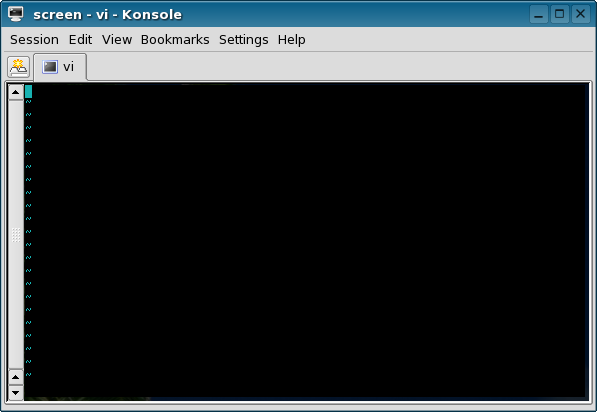
In typical unix fashion, there is little visual information here. The cursor is in the upper left hand side of the terminal which is now the edit buffer. The editor is in command mode.
Command mode
By default,vi will be in command mode when it is started.
This is the mode where commands may be given to the editor. Note
that all commands in vi are case sensitive.
- Navigation commands
Basic navigation can be done with the keyboard using the arrow keys or the home row keys h,j,k and l. Most modern systems have the arrow keys on the keyboard but older systems did not have these so learning the letter keys for navigation can be beneficial. Using the letter keys is also considerably faster since you can keep your fingers on the home row keys of the keyboard.j Move cursor down one character (down arrow) k Move cursor up one character (up arrow) l Move cursor right one character (right arrow) h Move cursor left one character (left arrow) G Move cursor to the end of the file buffer ^ Move cursor to the beginning of the current line $ Move cursor to the end of the current line / Search down to end of file. ? Search up to start of file. All commands will be executed once the character has been hit on the keyboard, there is no need to hit enter. Most
vicommands are a single character but will execute multiple times if preceded by a number: hitting "3j" will cause the cursor to move down 3 lines from its current position. This applies to all commands in command mode.Searching can be done by hitting the "/" key. The cursor will drop to the bottom of the buffer where the search text may be entered.
viwill stop the search with the cursor on the first instance that matches the search conditions. You may hit the "n" key to continue the search to the next match. Hitting the "escape" key will terminate the search command. Regular expressions (similar to the unixgrepcommand) may be used in the search command for pattern matching. - Delete commands
In command mode you may delete characters by hitting the "x" key. Lower case "x" deletes characters to the right of the cursor while capital "X" deletes characters to the left of the cursor. Deleting an entire line is done by hitting "dd" for the line that the cursor is on. Be careful not to prepend the input commands with a number orviwill insert some number of copies of the text you just entered when you hit "escape".x delete one character to the right X delete one character to the left dd delete current line 3x delete 3 characters to the right 5dd delete 5 lines (from the cursor position down) - Copy and Paste
While in command mode you may copy a line of text by hitting "Y" or "yy". This will copy, or yank, the line that the cursor is on to memory. You may then move the curor to another location in the file buffer and hit "P" to paste the previously copies text into the file buffer.Y yank (copy) yy yank (copy) P paste - ex commands
This is sometimes considered a separate mode but is just an extension of the command mode. While in command mode hit the key ":". This will drop the cursor to the bottom of the terminal window at a line beginning with the ":" character. From here many additional functions of the editor may be called. One of the most frequently used commands at this prompt is to quit the editor. Enter "q" and hit enter. This will closevi. File changes or newly created files may be saved by entering "w" at this prompt.:q quit the editor :w write file (save) :wq write file then quit the editor (note that ":qw" will not produce the same results) :q! forcefully quit editor :w! write file regardless of file permissions (user must own the file) :w filename.txt write current buffer to the file named "filename.txt" :22 go to line 22 in the current edit buffer There are many other commands available at the ":" prompt that provide much of
vi's advanced functionality. If you decide to abort the ":" command simply hit the escape key and you will be returned to command mode.
Insert Mode
From command mode, you may enter "insert mode" to begin inserting text by hitting the "i" character. This is the insert mode ofvi. This will
immediately
allow any further characters you
type to be inserted into the current file buffer (edit window). When
you are done entering text and wish to get out of the insert command
you need to hit the "escape" key. This will return
vi back to command
mode. "i" will cuase vi to start inserting
text at the current cursor
position. You may also start entering text with the "a"
key/command
which will allow you to append text starting at the next character to
the right of the current cursor position.
| i | insert text |
| a | append text |